Set Up Payment Method
Follow these steps to add a new payment method to your account.
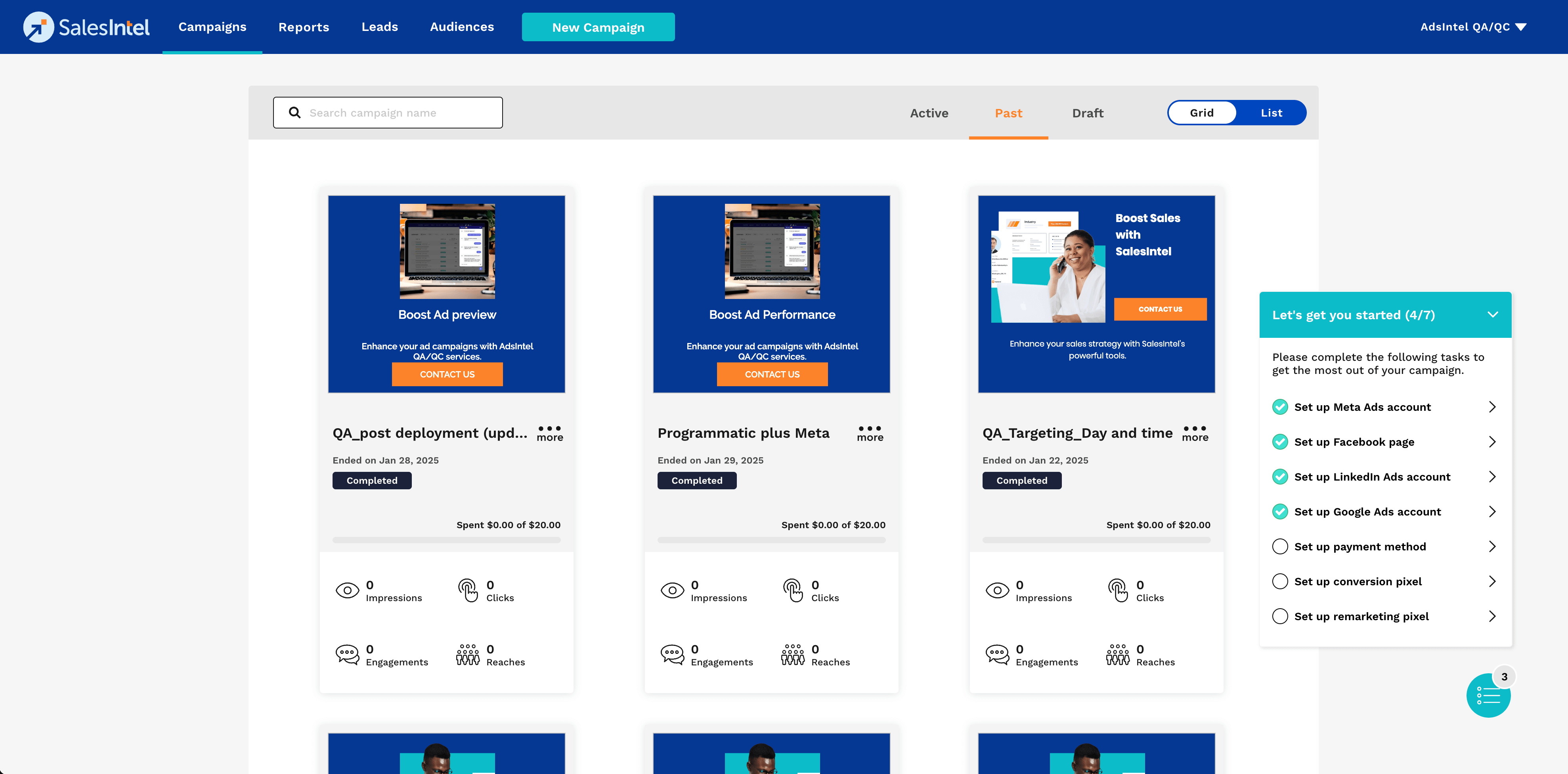
Step 1: Open Payment Method Setup
Click on Set Up Payment Method in the settings.
Step 2: Enter Payment Details
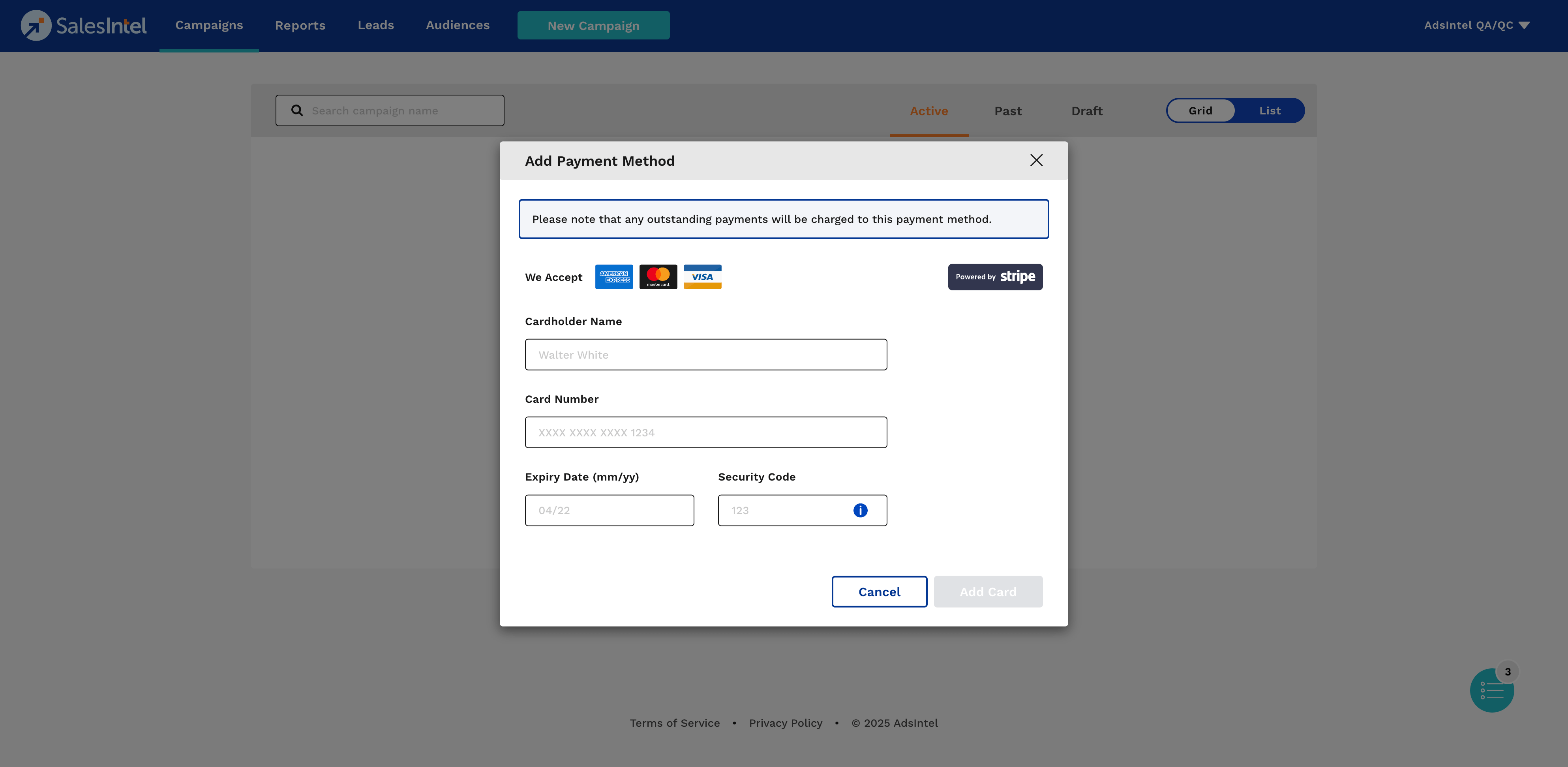
Fill in the required fields:
- Cardholder Name: Enter the name as it appears on the card.
- Card Number: Input the 16-digit card number.
- Expiry Date: Select the card's expiration date.
- Security Code: Enter the CVV or CVC code from the back of the card.
Step 3: Save Payment Method
Click Add Card to save the new payment method.