Setting Up Payment Options
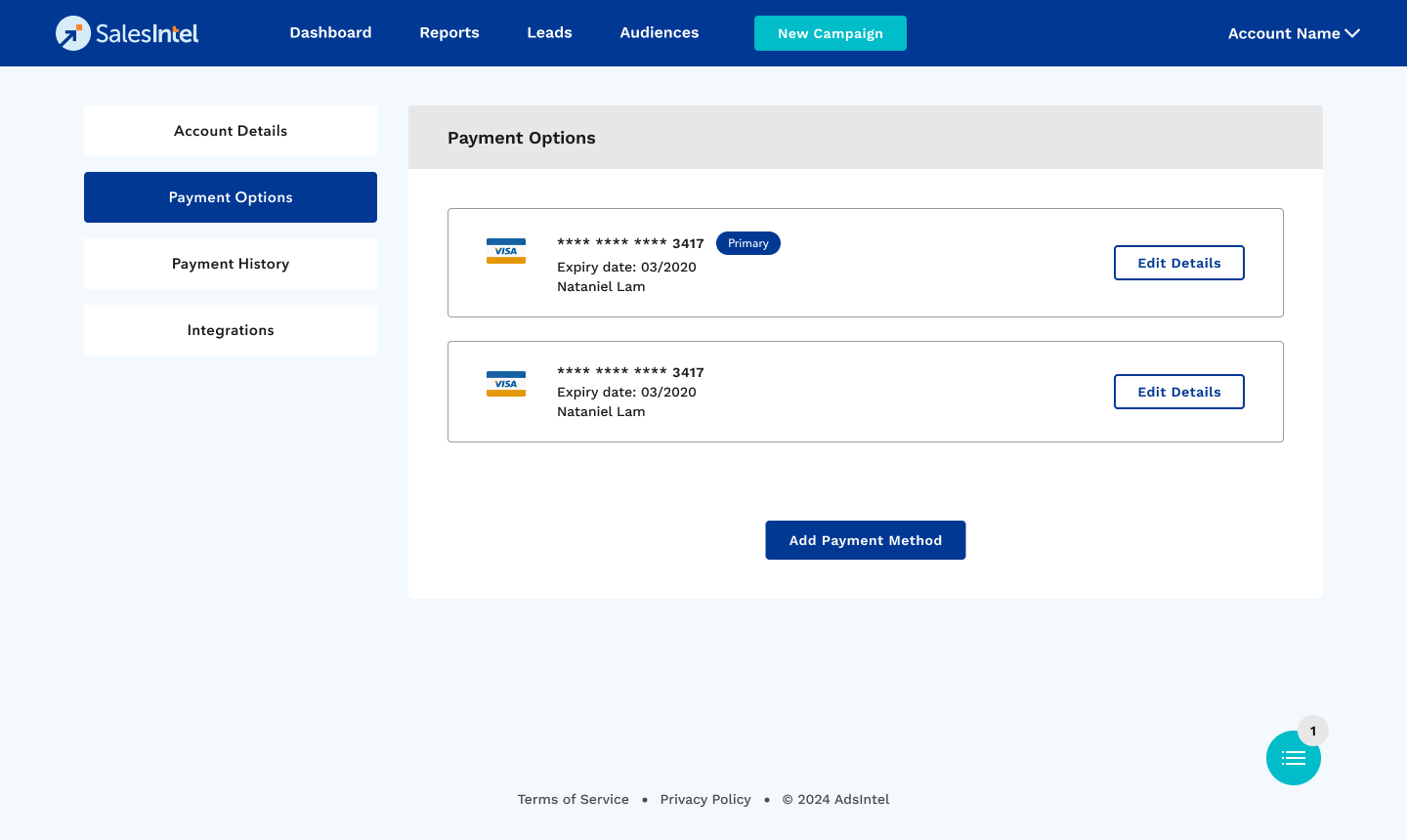
The Payment Options page allows you to manage your payment methods, including adding, editing, or viewing existing payment options.
Payment Options
- View the list of existing payment options.
- See card details, including card type, last four digits, expiry date, and cardholder name.
Editing a Payment Option
1. Click Edit Details next to the respective card.
2. Modify the necessary fields and save changes.
Add a New Payment Option
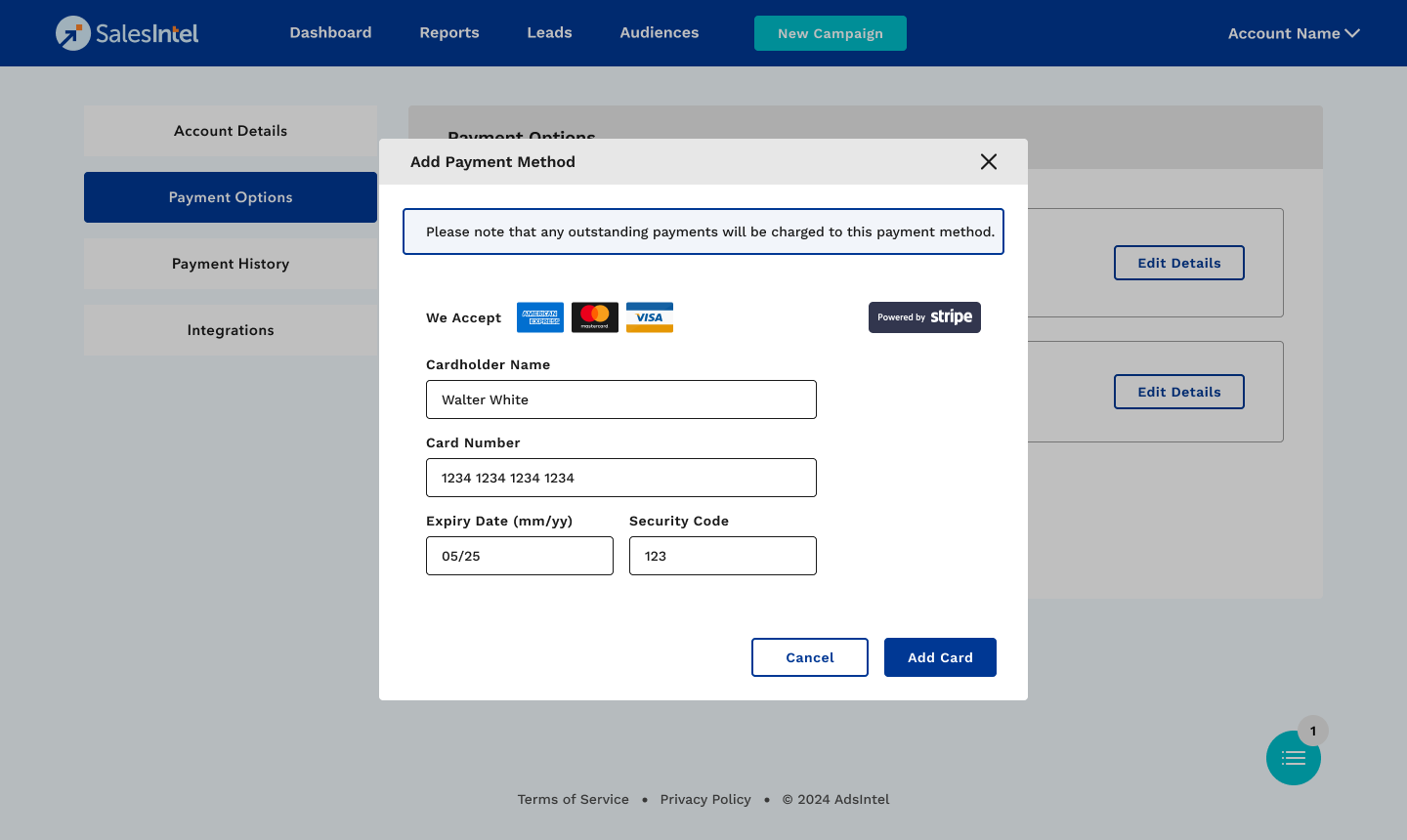
1. Click the Add Payment Option button.
2. Enter cardholder name, card number, expiry date, and security code.
3. Click Add Card to save the new payment option.